All articles
Keyboard guides
How to find the VERSION screen on your Korg Pa4X
On a Pa4X, you reach the VERSION screen through Service Mode and touch calibration. Follow these steps to open the page and photograph the details for your set seller.
What is the VERSION screen?
VERSION on the Korg Pa4X opens the “Version information” page in Service Mode. It shows the operating software version and details about the keyboard. The guide for this model includes touch calibration before the VERSION option appears.
- OPOS
- The installed operating software version. This row also shows the keyboard model.
- Serial number
- The instrument’s serial number, displayed on the last row of the table.
Photograph the entire table so the seller can read the details they need. The values and software version in the photo are an example; those on your keyboard may differ.
Korg Pa4X
Find it on a Korg Pa4X
- Switch the keyboard off.
- Press and hold MENU.
- Press POWER; keep holding MENU until Service Mode appears.
- Complete the on-screen touch calibration.
- Tap VERSION when it appears.
- Photograph the full information table.
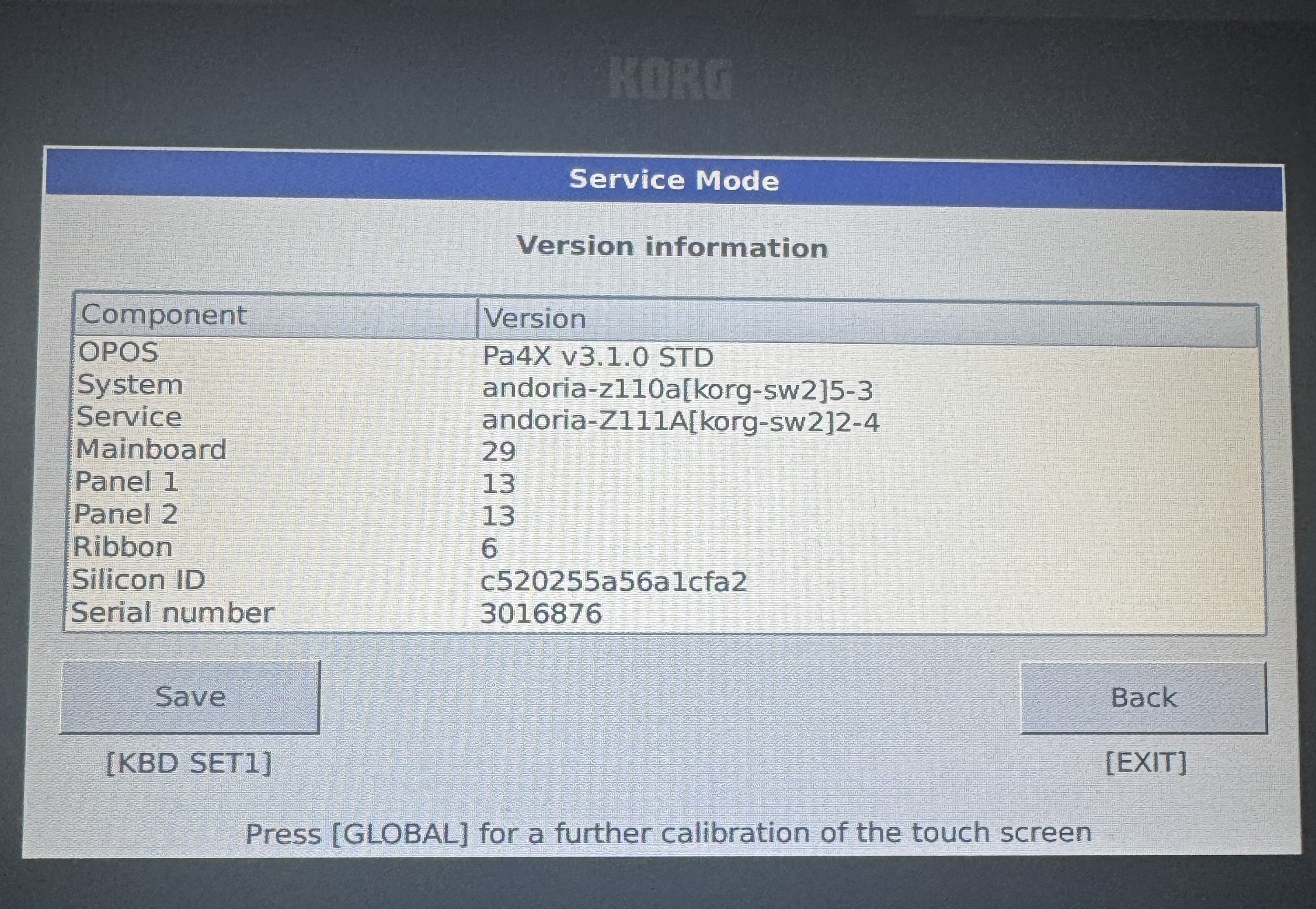 Enlarge the Korg Pa4X photo
Take a photo the seller can actually read
Use your phone’s camera and check the result before sending it. You only need to open VERSION for this guide; leave the other service options unchanged.
- Keep the whole table in the frame, from OPOS down to Serial number.
- Hold the phone sideways, tap the text to focus, and keep still while taking the photo.
- Avoid flash and reflections. Move the phone slightly if glare covers any letters or numbers.
- Send a photo of your own keyboard. The photo in this article is an example.